

In five months we built one platform that runs an early learning centre. Work that would need extra office staff now runs on a schedule. The team spends its time on children and parents.

Case Study: An AI-Built Operating System for an Early Learning Centre
Results
| Before | After |
|---|---|
| Paper attendance register | Kiosk sign-in, a live monitor and a full in-and-out record every day |
| Paper and WhatsApp for parents | A parent app in daily use for messages, invoices and receipts |
| Paper agreements | Agreements signed by link on a locked PDF |
| Card payouts not matched | Every card deposit explained to the fils |
| P&L not trusted | A P&L built from bank data, with fee revenue spread across the days it is earned |
| Unindexed archive | 1,327 documents indexed into 8 categories, with a retention schedule |
| Expiry dates kept in a diary | Staff and student documents tracked to expiry, with alerts 60 days ahead |
The centre also ran on spreadsheets and a shared phone, and enquiries had no reply clock.
What we did

- Map. We measured a baseline, as a finance team would.
- Pick. We chose the costliest workflows first.
- Build. AI coding agents built three apps on one database.
- Check. Each change was tested on a preview site and in the browser. A person approved every release.
| Measure | Result |
|---|---|
| Build time | 5 months |
| Code changes shipped | 1,917 |
| Reviewed releases | 952 |
| Screens across three apps | 130 |
| Scheduled jobs | 18 |
| Database changes | 288 |

Three apps on one database
Office ERP
- Attendance. Kiosk, staff clock-in and a live monitor. Late arrivals, late pickups and absences flagged to parents at the cut-off.
- Admissions. Leads, tours, waitlist and enrolment pipeline.
- Records. Student and staff records and documents.
- Finance. Fees, invoicing, bank reconciliation and P&L.
- Costs and pay. Expenses, petty cash, payroll and WPS export.
Teacher app
- Attendance. Class roll-call.
- Learning. EYFS observations and portfolios.
- Care logs. Meals, medication, incidents and one-tap logs.
- Photo consent. Shown on every photo before sharing.
- Daily tasks. Parent messages, cover, to-dos and cleaning checklists.
Parent app
- Enrolment. Forms sent and signed by link.
- Messages and news. Office and teacher chat, announcements, calendar and push notifications.
- Payments. Invoices, card payment and receipts.
- Reports. Daily activity, portfolio and incident reports.
- Documents. Uploads, with weekly reminders for anything missing.
How AI was used
- Back office. Bank lines categorised under one rule set, and card deposits matched to invoices.
- Document intake. Inherited documents read and sorted, with sensitive folders unopened.
- Meeting notes. Recordings transcribed on our own machine, with minutes drafted for review. See meeting intelligence.
- Software build. Claude Code agents wrote, tested and reviewed code, often in parallel. Each change was a reviewed pull request.
- Written rules. Test data is removed, special characters are checked, and no paid AI call runs without approval.
Controls
- Data protection by design. No consent record means no use.
- Human approval. A named person approves anything sent to parents, published or paid.
- Limits and logs. Scheduled deletion, role-based access and a log of every automated step.
These are design rules, not legal advice.
What transfers to your business

The same blocks give clinics, schools, brokers, trading firms and professional services a big-company back office. See finance close automation, document intelligence, operations and compliance and AI dashboards and reporting.
The apps
What the centre uses every day
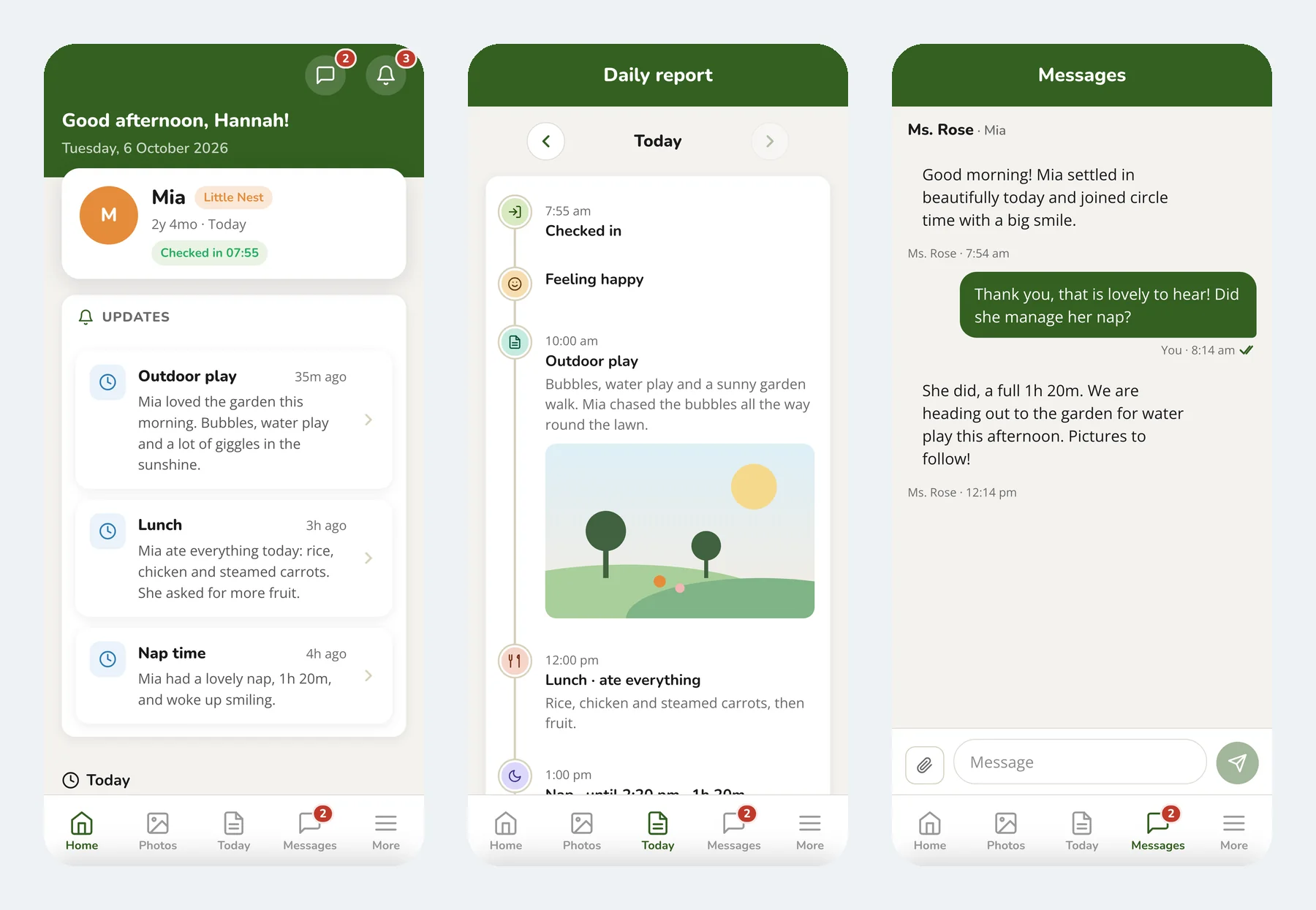
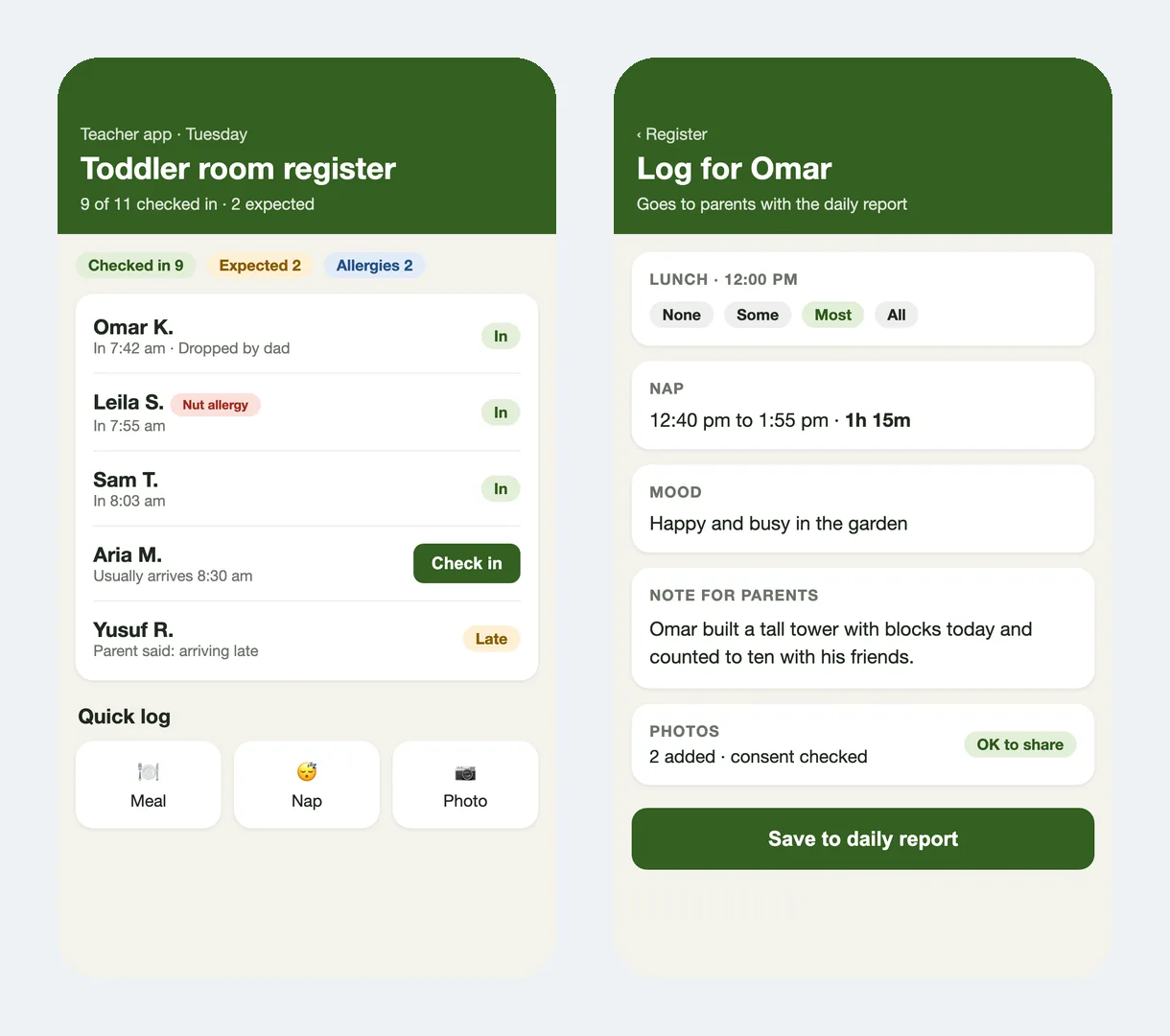
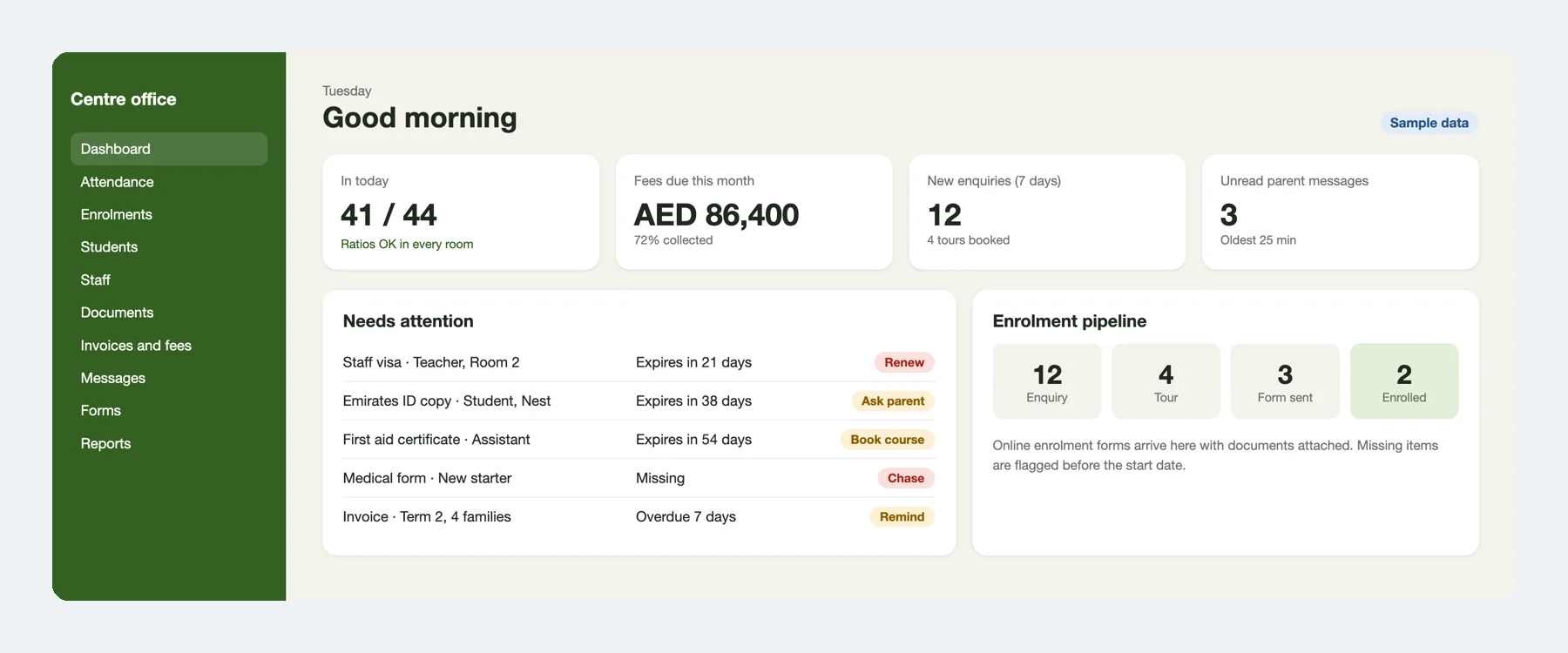
Screens shown with sample data.
Don't Hesitate to contact us any time
We offer expert advice with a free consultation to help you get started. Reach out today!